

Hari Iyer | SyncEzy
CEO 9 Min Read
 Jun 30, 2026
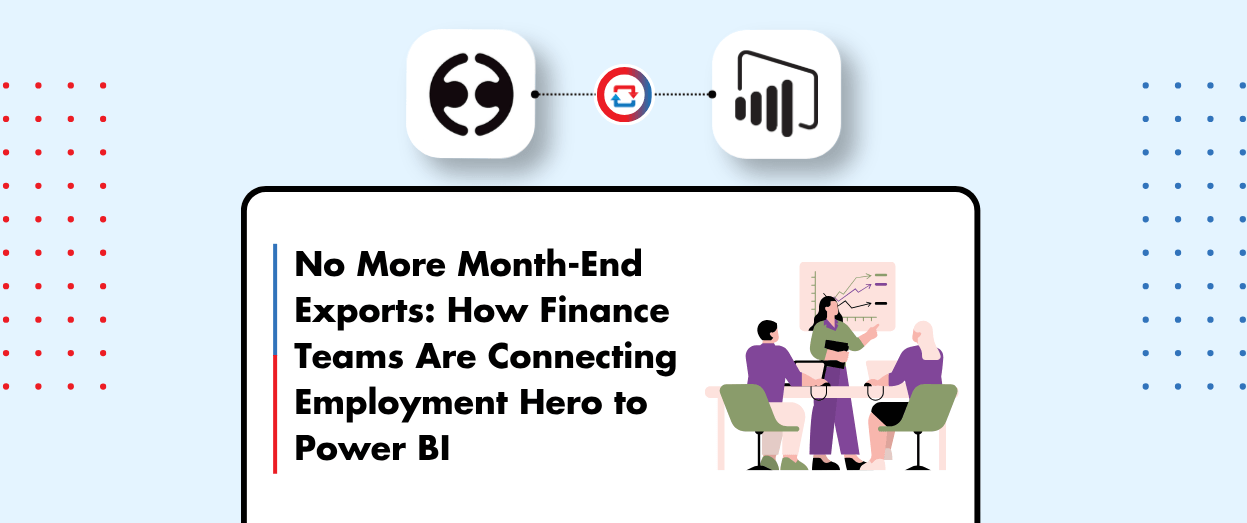
Most finance teams running Employment Hero (KeyPay) don’t have one big payroll-reporting problem. They have a quiet, persistent one.
The pattern shows up every month. Someone exports pay-run data into Excel. Someone else builds a pivot, formats it into a slide, and the leadership team reviews payroll cost from a deck built off data that’s already two pay cycles old. Then a director asks a follow-up question, like payroll cost by cost centre or leave liability by team, and the cycle starts again. Back to the source, back to Excel, rebuild the pivot. The model lives on one person’s laptop. When they’re on leave, the reporting stops.
That cycle is what the SyncEzy Employment Hero + Power BI integration is designed to remove. We covered it in a recent webinar with Mark Bubner from our implementation team. This is the written version for anyone who’d rather read than watch, or who wants something to share with the rest of the team.
The problems we hear most
Before we get to the solution: a few things that come up almost every time we talk to a finance, HR, or payroll team running this exact setup.
- Someone runs the same export every month. Pay-run data goes out as CSV, gets pasted into Excel, gets re-pivoted into the deck. Same person, same model, same laptop. Nobody else knows how to refresh it.
- The dashboard your CFO sees is already two pay cycles old. By the time the model is built and the slide is formatted, the actual data has rolled over. Leadership reviews lag the payroll cycle by weeks, not days.
- Multi-entity reporting is a manual stitching project. If you run two or three Employment Hero organisations, answering a group-level question means pulling reports from each one and merging them in Excel. Every quarterly board pack starts with this exercise.
- Sensitive payroll data sits in CSV files on personal computers. Manual exports and email attachments are the highest-risk way to move payroll PII around the business. Compliance and IT both know it; nobody quite has the time to fix it.
- The single source of truth lives on one laptop. The Power BI or Excel model everyone references lives on one person’s machine. When they go on leave or are off sick, the reporting just stops. Nobody else knows how to rebuild it from scratch.
None of these is catastrophic on its own. Together, they’re the reason this integration exists as a category in the first place.
What the integration actually does
At its core, the integration moves payroll and HR data out of Employment Hero (KeyPay) and into Power BI overnight, so the dashboards your team builds stay current without anyone running a refresh.
The sync runs one way. KeyPay is the system of record for payroll; Power BI is where you build the reports. The integration doesn’t try to merge them. It just makes sure that what’s in KeyPay this morning is what’s in Power BI tomorrow morning.
Around 30 tables come across automatically: pay runs, employees, locations, leave reports, timesheets, plus another 25 that cover the rest of the operational dataset. Standard fields pair on connection. Any custom fields you’ve added in KeyPay can be paired during setup so they flow into the same Power BI model.
How a payroll report becomes a live dashboard
The integration is most powerful when you think of it as a lifecycle, not a sync. The flow Mark walked through on the demo:
- Connect once. We connect Employment Hero and Power BI through the SyncEzy portal. Setup takes around 15 to 20 minutes.
- Overnight, the data flows. Pay runs, employees, locations, leave reports, timesheets, and the 25 other tables land in Power BI ready for use the next morning.
- Build the dashboards once. Your team (or a consultant, if dashboard building isn’t an in-house skill) builds the standard reports your leadership keeps asking for: payroll cost by department, leave liability by team, headcount cost trends, performance survey results.
- The dashboards refresh themselves. Every overnight sync brings the latest data through. The dashboard your CFO opens on Monday reflects what actually happened in payroll on Friday, instead of a model that’s two pay cycles old.
That’s the shape of the lifecycle. Each step happens once, and the integration keeps it current.
Configuration: one app per entity
The integration is configured at setup, not at runtime, which keeps day-to-day use simple.
The main configuration step is the connector itself. One SyncEzy app corresponds to one Employment Hero organisation. If you only run one entity, you set up one app, and you’re done.
If you run multiple entities, this is where the design becomes valuable. Each Employment Hero organisation gets its own app in the SyncEzy portal, but you can point all of them at the same Power BI instance. That means consolidated group-level reporting is just a matter of building the dashboard once over the combined dataset. Drill down to entity-level breakdowns when leadership asks; roll up to the group when they don’t. This is one of the most common reasons finance teams at larger organisations reach for the integration in the first place.
What changes for end users
This is the most underrated part of the integration: nothing.
Your KeyPay team keeps using KeyPay. Your finance team keeps using Power BI. Nobody logs into the SyncEzy portal as part of their daily work. The sync runs in the background and the data is just there.
That matters more than it sounds. Most integration projects fail at the change-management step, not the technical step. If your finance team needs to learn a new tool for the integration to work, you’ve added work, not removed it.
What gets multiplied on the Power BI side
The integration is half of the story. The other half is what Power BI can do once the data is live.
Once the KeyPay data is flowing in overnight, the standard dashboards become a build-once-and-keep-running asset. The recurring leadership questions, like payroll cost by department or cost centre, leave liability by team, headcount cost trends, and performance survey results, are all answerable from the live model rather than from a monthly export. Trend analysis over time becomes practical (the historical pay-run data is just there, not stitched together from CSVs).
Two use cases worth flagging because they came up in the live Q&A. The first is anomaly and fraud detection. Once you’ve got summed payroll data in a Power BI view, outliers become visible in a way they aren’t from inside the KeyPay UI. Reports become a way to spot issues that need investigation, not just a record of what happened. The second is payroll tax reporting. The reconciliation that finance teams typically run by hand (summing pay runs across periods to check what’s being remitted) becomes a live view rather than a quarterly project.
There’s also a PII access story here that’s worth saying out loud. Power BI lets you share dashboards across the business without exposing the underlying personal data. So you can give a wider audience visibility into payroll metrics without granting them access to the source records in KeyPay. That’s a meaningful improvement over emailing CSV exports around.
Same shape works with other analytics tools
Power BI is the most common destination, but it isn’t the only one. The same integration extracts the same KeyPay tables and can push them into other analytics platforms. Tableau is the next most-common destination we see. If your team has standardised on something other than Power BI, the integration still works for you. The connector on the KeyPay side is the same; the reporting end is configurable.
A note on what the integration won’t do
The integration brings the data across. Building the dashboards is on you, or on a consultant you bring in.
Mark was honest about this on the recording, and it’s worth being honest about here. The integration handles the data pipeline reliably. It does not generate dashboards automatically. Your team needs either an in-house person comfortable with Power BI (or whichever analytics tool you’ve chosen) or a consultant to do the build. Once the dashboards exist, they refresh themselves overnight, but the initial build is a separate effort.
For most finance teams we work with, that’s the right division of labour. The KeyPay data is the hard part to get cleanly. Dashboarding it is the easy part once it’s live.
Security and support
SyncEzy is SOC 2 Type II certified, and the data transfer between systems is CASA certified through the ADI protocol. For most teams going through procurement or IT review, especially in the payroll space where PII handling is closely scrutinised, that’s enough to clear the security questionnaire.
Support runs 24/5, from Monday morning in New Zealand through to Friday close of business in the US. The fastest channel is live chat inside the SyncEzy portal. If a question can’t be resolved in a couple of messages, we drop a meeting link into the chat and jump on a screen-share to work through it together.
Questions we get most often
A few questions came up during the live Q&A, and others come up almost every time on discovery calls. Short answers:
How often does the data refresh?
Overnight. The integration pulls the latest data from Employment Hero and lands it in Power BI on an overnight cadence, ready for use the next morning. There’s no manual trigger and nothing for anyone on your team to kick off.
Which Employment Hero tables come across?
Pay runs, employees, locations, leave reports, and timesheets are the headline ones, plus 25 other tables that round out the dataset. Once they’re in Power BI, you’ve got the raw material for most of the reporting leadership asks for.
Does it handle multi-entity payroll?
Yes. Each entity connects through its own app in the SyncEzy portal. You can keep them reporting separately, or point all of them at the same Power BI instance for consolidated group-level reporting with entity-level drill-down still available.
Does this only work with Power BI?
No. The integration extracts the same KeyPay tables and can push them into other analytics platforms too. Tableau is the second-most-common destination we see. The connection on the Employment Hero side is the same; the reporting end is configurable.
Watch the recording, or skip ahead
The recording walks through everything above with a live demo of the configuration screens, the standard dashboards customers build first, and the Q&A on access controls, multi-entity setup, and report types:
If you’d rather skip the demo and talk to someone about how this would fit your specific setup, a 15-minute discovery call is the fastest path:
Author
Hari Iyer | SyncEzy
CEO

Hari Iyer is the Founder and CEO of SyncEzy, a pioneering company at the forefront of data integration and automation solutions. With a deep understanding of the power of technology and a passion for solving complex business challenges, Hari has emerged as a visionary leader in the industry. His relentless pursuit of excellence and commitment to delivering tangible results have earned SyncEzy a loyal global clientele.
He is not only a successful entrepreneur but also an active contributor to the technology community, sharing his insights through thought leadership articles, speaking engagements, and mentorship programs. Hari’s ability to navigate the complexities of remote work serves as an inspiration for leaders, highlighting the importance of flexibility, work-life balance, and a results-oriented approach in today’s evolving work landscape.
Under his guidance, SyncEzy has gained widespread recognition for its deep integration solutions that seamlessly connect software applications, eliminate data silos, and enhance operational efficiency.
When not working, Hari is trying to be a better father, reading tech news, playing FPS games, and not exercising as he should.

Related Posts
Categories
From HR to Payroll, Automatically: How Organisations Are Syncing Workday and Employment Hero Payroll
Most organisations we talk to that run Workday alongside a local Australian payroll engine don’t have a systems problem. They have a gap problem. Workday runs the people. It’s the system of record for the whole employee lifecycle — hire, change, leave, terminate — and often the global standard across the group. Employment Hero Payroll… Continue reading From HR to Payroll, Automatically: How Organisations Are Syncing Workday and Employment Hero Payroll
Hari Iyer | SyncEzy
CEO
From Timesheet Ritual to Pay Run: How Australian Trades Are Syncing Simpro and Employment Hero
Ask an Australian trade business owner about Simpro and they’ll tell you it runs their operation. Jobs, scheduling, technicians in the field, hours logged against cost centres. It does that well. Ask them about Monday morning, when those field hours have to become an actual pay run, and the tone changes. That’s where the stress… Continue reading From Timesheet Ritual to Pay Run: How Australian Trades Are Syncing Simpro and Employment Hero
Hari Iyer | SyncEzy
CEO
One Pay Run, No Excel: How NZ Trade Businesses Are Syncing Simpro and Employment Hero
Most New Zealand trade businesses we talk to don’t have a payroll system problem. They have a gap problem. Simpro runs the jobs. Your technicians log their hours against jobs, cost centres, activities and allowances. Employment Hero runs the pay. It knows the Holidays Act, it knows KiwiSaver, it knows what the IRD expects. Both… Continue reading One Pay Run, No Excel: How NZ Trade Businesses Are Syncing Simpro and Employment Hero
Hari Iyer | SyncEzy
CEO
HiBob + Employment Hero Payroll: A Field Guide for Enterprise Australian Payroll Teams
If you’re reading this, you’ve probably already made two good decisions and discovered they don’t talk to each other. Decision one: HiBob as your HR platform. It’s modern, employees actually use it, and your global HQ loves that everyone from Sydney to San Francisco lives in the same system. Decision two: Employment Hero Payroll —… Continue reading HiBob + Employment Hero Payroll: A Field Guide for Enterprise Australian Payroll Teams
Hari Iyer | SyncEzy
CEO
Automate Your HR and Payroll Workflow: How the HiBob × Employment Hero Integration Actually Works
If you’re running HiBob for HR and Employment Hero for payroll, there’s a good chance someone on your team spends part of every pay cycle moving data between the two. A new hire goes into HiBob. Then into Employment Hero. A leave request is approved in HiBob. Then, it was keyed into payroll before Friday.… Continue reading Automate Your HR and Payroll Workflow: How the HiBob × Employment Hero Integration Actually Works
Hari Iyer | SyncEzy
CEO
SyncEzy SharePoint Integrations: What Microsoft 365 License Do You Need?
SharePoint is often the system of record for documents such as policies, drawings, SOPs, contracts, and compliance files. SyncEzy integrates SharePoint with platforms like Procore, Simpro, SafetyCulture, Autodesk Construction Cloud, Employment Hero, and Zoho, ensuring documents stay in sync across systems automatically. The Short Answer Microsoft 365 Business Basic is sufficient. SyncEzy works with the… Continue reading SyncEzy SharePoint Integrations: What Microsoft 365 License Do You Need?
Hari Iyer | SyncEzy
CEO

