

Hari Iyer | SyncEzy
CEO 12 Min Read
 Jul 08, 2026
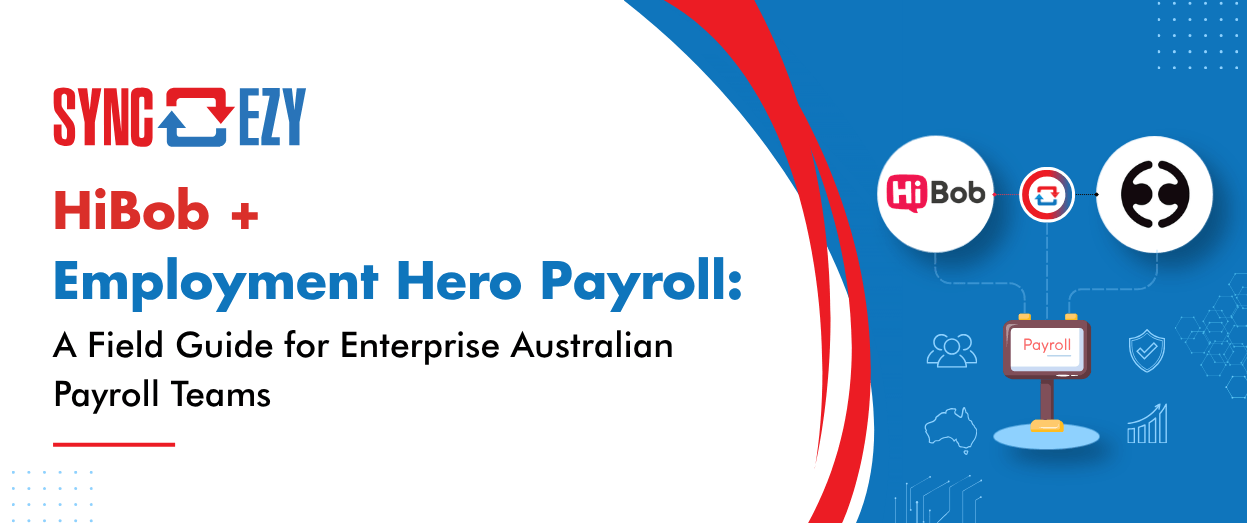
If you’re reading this, you’ve probably already made two good decisions and discovered they don’t talk to each other.
Decision one: HiBob as your HR platform. It’s modern, employees actually use it, and your global HQ loves that everyone from Sydney to San Francisco lives in the same system. Decision two: Employment Hero Payroll — the engine formerly and still affectionately known as KeyPay — to run Australian payroll, because it natively handles the things global platforms don’t: modern awards, Single Touch Payroll, superannuation, and the general glorious complexity of paying people correctly in this country.
The gap between those two decisions is where payroll teams live. HiBob is the system of record for who your people are; Employment Hero Payroll is the system of record for how they get paid. Every new hire, salary change, bank detail update, and leave request has to cross that gap — and if it crosses by hand, it crosses slowly, occasionally wrongly, and always at the worst possible time in the pay cycle.
This is a field guide for running these two platforms together properly: what should sync, what will bite you, and how to roll it out without holding your breath on payday.
Why this pairing exists in the first place
HiBob was built as a global HCM. Its payroll philosophy is deliberate: rather than building payroll for every jurisdiction, it acts as the people data hub and connects to local payroll engines. That’s the right architecture — but it means Australian customers need a bridge, because “Australian payroll” is not a feature you bolt on. It’s award interpretation, STP Phase 2 disaggregated reporting to the ATO, superannuation guarantee calculations, leave loading, and state-by-state payroll tax.
Employment Hero Payroll is one of the strongest engines in the country for exactly that work. It grew up as KeyPay serving bureaus and accountants who process payroll for a living, which shows in its rule engine and automation depth.
So the pairing is genuinely best-of-breed: global employee experience on one side, local compliance muscle on the other. The catch is that best-of-breed always means integration, and integration quality is what determines whether this architecture feels seamless or feels like two systems held together with CSV exports.
What the manual actually looks like (and costs)
Before the field guide, a quick reality check on the alternative, because “we’ll just re-key it” is where most teams start.
A typical enterprise pay cycle involves new starters (full employee record, tax declaration, super choice, bank details), terminations (with correct cessation handling for STP), salary and hours changes, personal detail updates, and a steady stream of leave. Each of those touches both systems. Re-keying a single new starter properly takes ten to fifteen minutes when nothing goes wrong; auditing that it was keyed correctly takes longer. Across a few hundred employees with normal turnover and churn, payroll teams routinely lose a day or more per cycle to transcription — and transcription is exactly the kind of work where a transposed bank account digit or a missed termination date becomes a very bad Friday.
The deeper cost is timing. Manual sync means the payroll system is only as current as the last time someone updated it. Changes made in HiBob after the cutoff silently miss the run. Automated sync collapses that lag from days to minutes and, more importantly, makes it consistent — the same rules, applied the same way, every cycle.
The data flows: what should sync, and in which direction
The single most important design principle: one system of record per data type, one direction of flow. Bi-directional sync of the same field is how you get conflicts, and conflicts in payroll data are unacceptable. In a well-designed HiBob → Employment Hero Payroll integration, the flows look like this:
| Data | Direction | Notes |
| New employee records | HiBob → EH Payroll | Created in payroll automatically when hired in HiBob |
| Personal details (name, address, contact) | HiBob → EH Payroll | HiBob is the source of truth |
| Employment details (start date, role, entity, employment basis) | HiBob → EH Payroll | Employment basis matters for STP Phase 2 |
| Salary/rate changes | HiBob → EH Payroll | Effective-dated changes need careful handling |
| Bank, super and tax details | HiBob → EH Payroll | Highest-sensitivity fields; validate hard |
| Leave requests/balances | Depends on where leave is approved | Pick one home for leave and stick to it |
| Terminations | HiBob → EH Payroll | Cessation date and reason flow through for STP |
| Pay run outcomes/payslips | Generated in EH Payroll >> Received in EH | EH truly becomes the single window experience for employees. |
The leave row deserves its own section, because it’s the one that hurts.
Leave: the part everyone underestimates
Here’s the structural problem. HiBob lets HR admins create leave types freely — Annual Leave, Birthday Leave, Volunteering Day, Mental Health Day, whatever your culture deck promised. Employment Hero Payroll has leave categories with real payroll consequences attached: accrual rules, whether the leave is paid or unpaid, whether leave loading applies, how it reports through STP.
Those two lists will never match by accident. Every HiBob leave type has to be deliberately mapped to a payroll leave category, and — this is the part that catches teams a year in — the mapping has to be maintained. The day someone in HR creates “Study Leave” in HiBob and nobody maps it, you have leave being approved in one system and never deducted or paid correctly in the other. Nobody notices until an employee queries a balance, and then someone gets to reconcile months of history.
Our practical rules from maintaining this mapping across many customers: give one named person ownership of the leave mapping; make “map it in the integration” a mandatory step of creating any new leave type in HiBob; refresh and review the mapping whenever either side changes; and prefer fewer, well-understood leave types over a proliferation of boutique ones. We’ve invested heavily in making the mapping interface in our connector explicit and refreshable for exactly this reason — leave mapping isn’t a set-and-forget config screen, it’s a living table.
Also decide, once, where leave is approved. If leave requests live in HiBob (the usual choice, since managers live there), then balances shown in HiBob must be fed or reconciled from the payroll engine, which owns the true accrual calculation. Two systems independently calculating accruals is a reconciliation project you run forever.
Finally, what happens when leave is approved after a pay run is closed? What happens to that leave which couldn’t make it to the payslip in time ?
Also, you may not know this, but
STP Phase 2: why field mapping is now a compliance activity
Single Touch Payroll Phase 2 changed the nature of this integration. Reporting to the ATO is now disaggregated — income types, employment basis, cessation reasons, salary sacrifice, allowances all reported in structured categories. The payroll engine does the reporting, but the inputs to that reporting increasingly originate in HiBob.
Employment basis is the cleanest example. Whether someone is full-time, part-time, or casual is an HR fact captured in HiBob at hire — and it’s also an STP reporting field. If the integration maps it wrongly, or an HR admin uses a custom employment type that doesn’t translate, your STP submissions are wrong at the source. Same story for cessation reasons on termination: what a manager selects in HiBob has to land in Employment Hero Payroll as a valid ATO cessation code.
The practical takeaway: treat the field mapping document for this integration as a compliance artifact, not just an IT config. Payroll should review it, not just IT. And when the ATO moves again — there will be a next phase of something — the mapping is the first thing to revisit.
Multi-entity and the enterprise wrinkles
Enterprise deployments add a few dimensions worth planning for. If you run multiple ABNs, each is typically a separate business in Employment Hero Payroll, and the integration needs to route each HiBob employee to the right entity — usually driven by a HiBob field like legal entity or site, which means that field needs to be clean and mandatory. Employees transferring between entities are effectively a termination and re-hire from payroll’s perspective; decide the process before the first transfer happens, not during it.
Pay schedules matter too: if you run mixed weekly, fortnightly and monthly cycles, confirm your sync timing works for the tightest cycle. And for casual-heavy workforces, be explicit about where hours originate — if timesheets live in a third system (or in Employment Hero Payroll’s own timesheets), the HiBob sync should stay out of the hours business entirely and stick to employee master data.
The deeper cost is timing. Manual sync means the payroll system is only as current as the last time someone updated it. Changes made in HiBob after the cutoff silently miss the run. Automated sync collapses that lag from days to minutes and, more importantly, makes it *consistent* — the same rules, applied the same way, every cycle.
And timing isn’t just an efficiency concern — it’s a legal deadline. Under section 536 of the Fair Work Act 2009, every employee must be given a payslip within one working day of being paid, whether they’re at their desk or on leave, and the payslip must carry the full set of details prescribed by the Fair Work Regulations: gross and net pay, itemised loadings and allowances, deductions, and superannuation contributions with the fund named. Fair Work Inspectors can issue on-the-spot infringement notices for payslip and record-keeping breaches — currently up to $9,900 per contravention for a corporation, with penalty unit increases from 1 July 2026 pushing that figure higher — and because the obligation applies per employee, per pay event, a single delayed or non-compliant cycle across a 200-person workforce isn’t one breach, it’s potentially 200. Court-imposed penalties for wilful or repeated contraventions run far higher again. There’s also a quieter consequence that should worry enterprise payroll teams more than the fines: an employer who can’t show compliant payslips and records faces a reverse onus of proof in any underpayment claim — the court starts from the employee’s version of events and the employer has to disprove it. A payroll process that depends on someone remembering to re-key data before the run is a process that will, eventually, put you on the wrong side of a one-working-day statutory clock.
And it doesn’t take systemic wage theft to get there. All it takes is one honest manual mistake, one aggrieved ex-employee, and one of the no-win-no-fee employment firms that advertise for exactly these claims — and a paperwork slip becomes a very expensive mistake.
A rollout playbook that won’t ruin a payday
The way to deploy this integration is the way you’d deploy anything that touches money: in parallel, with reconciliation, and with a pilot.
Phase one — clean the data. Audit HiBob before connecting anything. Duplicate employees, missing bank or super details, free-text employment types, unmapped entities: every data quality issue in HiBob becomes a sync error later. Fix them at the source first.
Phase two — map and review. Build the field mapping and the leave mapping with payroll and HR in the same room. This is a two-hour workshop that saves twenty hours of tickets. Document who owns each mapping going forward.
Phase three — pilot cohort. Sync one entity or one department. Run a full pay cycle with the integration feeding data while payroll double-checks against the old manual process. Reconcile every field for the pilot group.
Phase four — parallel run, then cut over. Expand to the full workforce but keep the manual verification for one or two cycles. When two consecutive runs reconcile cleanly, drop the manual step. Keep exception reporting forever: the goal isn’t “nobody looks at it,” it’s “somebody looks only at the records that need a human.”
Phase five — operationalise. Name an owner. Put the sync’s health somewhere visible. Fold the integration into your new-starter and termination checklists so process changes on the HR side never surprise the payroll side.
Questions to ask any integration vendor (including us)
If you’re evaluating a connector for this pairing rather than building it yourself, the quality questions are: How often does it sync, and can it be triggered on demand before a pay run? What happens to a record that fails validation — is there an exception queue, and who gets alerted? How is the leave type mapping managed, and what happens when a new leave type appears? How are effective-dated changes handled? How are credentials stored and what’s your security posture — certifications, data residency, subprocessor list? And what happens when HiBob or Employment Hero changes their API — who absorbs that work?
That last question is the whole reason connectors exist as products. Both platforms ship constantly. Someone has to keep the bridge standing while both banks of the river keep moving — and it’s better for everyone if that someone does it for hundreds of companies at once rather than just yours.
The end state worth aiming for
Run well, this pairing disappears. A manager hires someone in HiBob on Monday; they exist in Employment Hero Payroll, correctly configured, minutes later. A resignation is processed once and reported to the ATO correctly. Leave approved on a phone in the field lands in the right payroll category without anyone re-keying it. Payroll stops being a data-entry function and goes back to being a checking, exception-handling, and compliance function — which is what enterprise payroll teams are actually for.
That’s the field guide. The gap between HiBob and Employment Hero Payroll is entirely bridgeable — it just has to be bridged deliberately, with clear systems of record, a living leave mapping, and a rollout that respects the fact that the worst time to discover a sync bug is 4 pm on a Thursday.
Author
Hari Iyer | SyncEzy
CEO

Hari Iyer is the Founder and CEO of SyncEzy, a pioneering company at the forefront of data integration and automation solutions. With a deep understanding of the power of technology and a passion for solving complex business challenges, Hari has emerged as a visionary leader in the industry. His relentless pursuit of excellence and commitment to delivering tangible results have earned SyncEzy a loyal global clientele.
He is not only a successful entrepreneur but also an active contributor to the technology community, sharing his insights through thought leadership articles, speaking engagements, and mentorship programs. Hari’s ability to navigate the complexities of remote work serves as an inspiration for leaders, highlighting the importance of flexibility, work-life balance, and a results-oriented approach in today’s evolving work landscape.
Under his guidance, SyncEzy has gained widespread recognition for its deep integration solutions that seamlessly connect software applications, eliminate data silos, and enhance operational efficiency.
When not working, Hari is trying to be a better father, reading tech news, playing FPS games, and not exercising as he should.

Related Posts
Tags
Categories
From HR to Payroll, Automatically: How Organisations Are Syncing Workday and Employment Hero Payroll
Most organisations we talk to that run Workday alongside a local Australian payroll engine don’t have a systems problem. They have a gap problem. Workday runs the people. It’s the system of record for the whole employee lifecycle — hire, change, leave, terminate — and often the global standard across the group. Employment Hero Payroll… Continue reading From HR to Payroll, Automatically: How Organisations Are Syncing Workday and Employment Hero Payroll
Hari Iyer | SyncEzy
CEO
From Timesheet Ritual to Pay Run: How Australian Trades Are Syncing Simpro and Employment Hero
Ask an Australian trade business owner about Simpro and they’ll tell you it runs their operation. Jobs, scheduling, technicians in the field, hours logged against cost centres. It does that well. Ask them about Monday morning, when those field hours have to become an actual pay run, and the tone changes. That’s where the stress… Continue reading From Timesheet Ritual to Pay Run: How Australian Trades Are Syncing Simpro and Employment Hero
Hari Iyer | SyncEzy
CEO
One Pay Run, No Excel: How NZ Trade Businesses Are Syncing Simpro and Employment Hero
Most New Zealand trade businesses we talk to don’t have a payroll system problem. They have a gap problem. Simpro runs the jobs. Your technicians log their hours against jobs, cost centres, activities and allowances. Employment Hero runs the pay. It knows the Holidays Act, it knows KiwiSaver, it knows what the IRD expects. Both… Continue reading One Pay Run, No Excel: How NZ Trade Businesses Are Syncing Simpro and Employment Hero
Hari Iyer | SyncEzy
CEO
No More Month-End Exports: How Finance Teams Are Connecting Employment Hero to Power BI
Most finance teams running Employment Hero (KeyPay) don’t have one big payroll-reporting problem. They have a quiet, persistent one. The pattern shows up every month. Someone exports pay-run data into Excel. Someone else builds a pivot, formats it into a slide, and the leadership team reviews payroll cost from a deck built off data that’s… Continue reading No More Month-End Exports: How Finance Teams Are Connecting Employment Hero to Power BI
Hari Iyer | SyncEzy
CEO
Automate Your HR and Payroll Workflow: How the HiBob × Employment Hero Integration Actually Works
If you’re running HiBob for HR and Employment Hero for payroll, there’s a good chance someone on your team spends part of every pay cycle moving data between the two. A new hire goes into HiBob. Then into Employment Hero. A leave request is approved in HiBob. Then, it was keyed into payroll before Friday.… Continue reading Automate Your HR and Payroll Workflow: How the HiBob × Employment Hero Integration Actually Works
Hari Iyer | SyncEzy
CEO
SyncEzy SharePoint Integrations: What Microsoft 365 License Do You Need?
SharePoint is often the system of record for documents such as policies, drawings, SOPs, contracts, and compliance files. SyncEzy integrates SharePoint with platforms like Procore, Simpro, SafetyCulture, Autodesk Construction Cloud, Employment Hero, and Zoho, ensuring documents stay in sync across systems automatically. The Short Answer Microsoft 365 Business Basic is sufficient. SyncEzy works with the… Continue reading SyncEzy SharePoint Integrations: What Microsoft 365 License Do You Need?
Hari Iyer | SyncEzy
CEO

