

Hari Iyer | SyncEzy
CEO 8 Min Read
 Jul 28, 2026
Autodesk Construction Cloud, SharePoint, and the difference between a connector and a deep integration
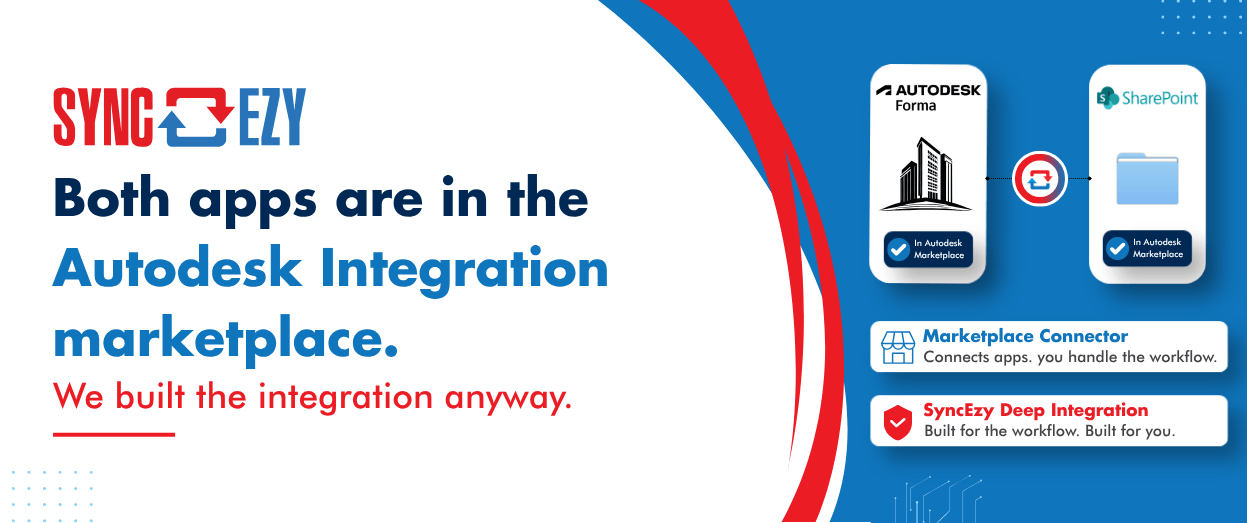
Autodesk Construction Cloud ships with a white-labelled Workato marketplace. SharePoint is in there. Autodesk Construction Cloud is in there. On paper, you can already connect the two without talking to us.
So the fair question, and one we get asked on nearly every demo call, is: why does SyncEzy have a dedicated Autodesk Construction Cloud to SharePoint integration at all?
The answer is not that the marketplace is bad. The answer is that a marketplace and a deep integration are two different products solving two different problems, and the construction industry keeps getting sold the first one when it needs the second.
Hub and spoke: the model behind every iPaaS marketplace
Almost every integration platform you have ever evaluated is built hub and spoke. The platform sits in the centre. Every application you want to use is a spoke hanging off it. One connector per application, exposing whatever that vendor’s API surface allowed the connector author to expose.
This is a genuinely good architecture, and it exists for good reasons. If you need to connect 40 systems in 40 different combinations, hub and spoke is the only sane way to do it. Breadth is the whole point.
But look carefully at what you are actually buying. You are buying two spokes and a canvas. The workflow, the part you actually care about, is your job. You are the one who has to work out what happens when a file name is 380 characters long, when someone renames a folder mid-sync, when two people edit the same drawing in the same ten minutes, when the API rate limit hits at 4 pm on a Friday, or when the sync silently stops and nobody notices for three weeks.
In the hub-and-spoke model, your workflow sits on top of somebody’s integration. It depends entirely on how much of the real world one thin spoke happened to expose.
Point to point: our workflow model, unchanged since day one
SyncEzy has never built hub and spoke. From the beginning, we have built point-to-point, and deep.
We do not have 100 connectors joining everything to everything. We have a deliberately smaller number of integrations, each one built for two specific systems and the specific job that real teams do between them every day.
The distinction in one line:
In a hub and spoke model, your workflow sits on top of the integration. In ours, your workflow IS the integration.
That is not a marketing line. It is an engineering commitment, and it has a cost. It means we cannot say yes to every combination a prospect asks for. It means our integration catalogue grows slower than a marketplace’s. We have made peace with that, because the alternative is shipping something that demos beautifully and falls over in month four.
What “deeper” actually means for Autodesk Construction Cloud and SharePoint
Here is what we are claiming, concretely.
1. It is pre-built. There is no DIY phase.
You are not handed a canvas, two connectors, and a documentation link. You are not scoping an internal project, assigning it to whoever on your team is closest to being technical, and hoping it survives their next job change.
The integration exists. It is configured, not constructed. That difference is the difference between a two-week build with an ongoing maintenance owner, and a setup call.
This matters more in construction than in most industries, because most construction businesses do not have an integration team. They have a very capable systems person who is already running at capacity.
2. It is a robust integration, not a surface-level webhook handler.
A lot of what gets sold as integration is one webhook and a happy path. Event fires, file moves, demo ends, everybody applauds.
Real document sync between a construction platform and a Microsoft 365 environment is not a happy path problem. It is an edge case problem. Illegal characters in file names. Path length limits. Deeply nested folder structures. Renames, moves, and deletes that have to be interpreted rather than blindly mirrored. Version conflicts and simultaneous edits. Large files. Throttling and rate limits on both sides. Permission models that do not map cleanly onto each other. Reconnection after an outage without duplicating half a project.
None of that is exotic. All of it happens in normal use on a live project. The difference between a webhook handler and an integration is entirely in how many of those cases have already been met, diagnosed, and handled before you encounter them.
We have hit them. We have handled them. The integration is custom-built for these two applications and the workflow between them, which is the only way that work is possible.
3. Your field team and your office team each stay where they belong.
This is the part that actually sells itself, because it is the problem everyone recognises.
Your project and site teams live in Autodesk. That is where the model is, where the drawings are, where the RFIs and issues sit, where the source of truth belongs.
Your office, admin, finance, contracts and estimating people live in Microsoft 365. SharePoint, Teams, Explorer, Outlook. Not because they are resistant to change, but because that is where the rest of the business runs.
Every failed rollout we have ever been called in to rescue has the same root cause: someone decided one of those two groups had to move. Either the office team gets logins to a construction platform they will use twice a month and never learn, or the site team gets asked to duplicate documents into a folder structure they did not design.
Our integration removes the choice. Both teams keep working in the environment they already know, and the documents stay aligned across both in near real time. Nobody is asked to change habits to accommodate a connector’s limitations.
4. There is a support team, 24 hours a day, five days a week.
When a marketplace integration you built yourself breaks, the escalation path is you.
When ours has a problem, there is a human on shift. We run support 24 hours a day, five days a week across our Australian and Indian teams, which means the gap between “something looks wrong” and “someone competent is looking at it” is measured in minutes, not in whether it is business hours in one timezone.
5. Multiple layers of redundancy.
Sync jobs fail. APIs go down. Networks drop mid-transfer. The question is never whether that happens; it is what happens next.
We build with multiple layers of redundancy so that a failure at one layer does not become data loss or a silent gap in your document set. Retries, queueing, and recovery are part of the design rather than something bolted on after the first incident.
6. You can verify the sync history for every single file.
This is the one that senior people care about most, and the one DIY builds almost never have.
For any individual file, you can check its history and its sync history. What happened, when, in which direction, and what the outcome was.
That capability is the difference between trusting the integration and hoping it is working. On a project with contractual document obligations, hope is not a control. If you are ever in a dispute about when a revision was issued and to whom, “our sync tool probably handled it” is not an answer you want to give.
When the marketplace is genuinely the right answer
We would rather tell you this than have you find out later.
If you need to connect many systems in many combinations, if the automations are one-off, low-stakes and internal, if you have an integration capability in-house and you want to own the logic, then a hub and spoke marketplace is a better fit than us. That is what it is built for, and it is good at it.
Where it stops being the right answer is when the workflow is critical, high volume, contractually significant, and needs to keep working for years without someone tending it. At that point, breadth stops being the useful property and depth starts.
The short version
A generic connector can move a file. A deep integration understands why the file is moving, what happens when it cannot, and how you prove afterwards that it did.
Both applications being available in a marketplace tells you the connection is possible. It does not tell you the workflow is solved. Those have never been the same thing.
Author
Hari Iyer | SyncEzy
CEO

Hari Iyer is the Founder and CEO of SyncEzy, a pioneering company at the forefront of data integration and automation solutions. With a deep understanding of the power of technology and a passion for solving complex business challenges, Hari has emerged as a visionary leader in the industry. His relentless pursuit of excellence and commitment to delivering tangible results have earned SyncEzy a loyal global clientele.
He is not only a successful entrepreneur but also an active contributor to the technology community, sharing his insights through thought leadership articles, speaking engagements, and mentorship programs. Hari’s ability to navigate the complexities of remote work serves as an inspiration for leaders, highlighting the importance of flexibility, work-life balance, and a results-oriented approach in today’s evolving work landscape.
Under his guidance, SyncEzy has gained widespread recognition for its deep integration solutions that seamlessly connect software applications, eliminate data silos, and enhance operational efficiency.
When not working, Hari is trying to be a better father, reading tech news, playing FPS games, and not exercising as he should.

Related Posts
Categories
Autodesk Construction Cloud + SharePoint integration guide
Autodesk Construction Cloud (ACC) is where the project lives. SharePoint is where the rest of the business lives. The problem is that these two platforms don’t talk to each other — so files that project managers upload in ACC don’t appear for office staff in SharePoint, and documents that engineers store in SharePoint don’t make… Continue reading Autodesk Construction Cloud + SharePoint integration guide
Hari Iyer | SyncEzy
CEO
No More Manual Uploads: Why Construction Teams Are Syncing Autodesk Build and SharePoint Live
Most construction and engineering teams we talk to don’t have a single, dramatic document-management problem. They have a quiet, persistent one. Office staff is editing drawings, RFIs, and submittals in SharePoint, because that’s where the rest of their Microsoft 365 workflow lives. Field teams are capturing photos and updating issues in Autodesk Build, because that’s… Continue reading No More Manual Uploads: Why Construction Teams Are Syncing Autodesk Build and SharePoint Live
Hari Iyer | SyncEzy
CEO
SyncEzy SharePoint Integrations: What Microsoft 365 License Do You Need?
SharePoint is often the system of record for documents such as policies, drawings, SOPs, contracts, and compliance files. SyncEzy integrates SharePoint with platforms like Procore, Simpro, SafetyCulture, Autodesk Construction Cloud, Employment Hero, and Zoho, ensuring documents stay in sync across systems automatically. The Short Answer Microsoft 365 Business Basic is sufficient. SyncEzy works with the… Continue reading SyncEzy SharePoint Integrations: What Microsoft 365 License Do You Need?
Hari Iyer | SyncEzy
CEO
SyncEzy Enhances Capabilities with Autodesk Construction Cloud Integration
The new two-way integration between Autodesk Construction Cloud and Microsoft SharePoint by SyncEzy streamlines project management and enhances collaboration for construction teams. SyncEzy recently announced its latest integration with Autodesk Construction Cloud, significantly enhancing project management capabilities for its customers. This SharePoint integration is designed to improve efficiency and collaboration in construction projects, offering a… Continue reading SyncEzy Enhances Capabilities with Autodesk Construction Cloud Integration
Hari Iyer | SyncEzy
CEO

